
INTRO
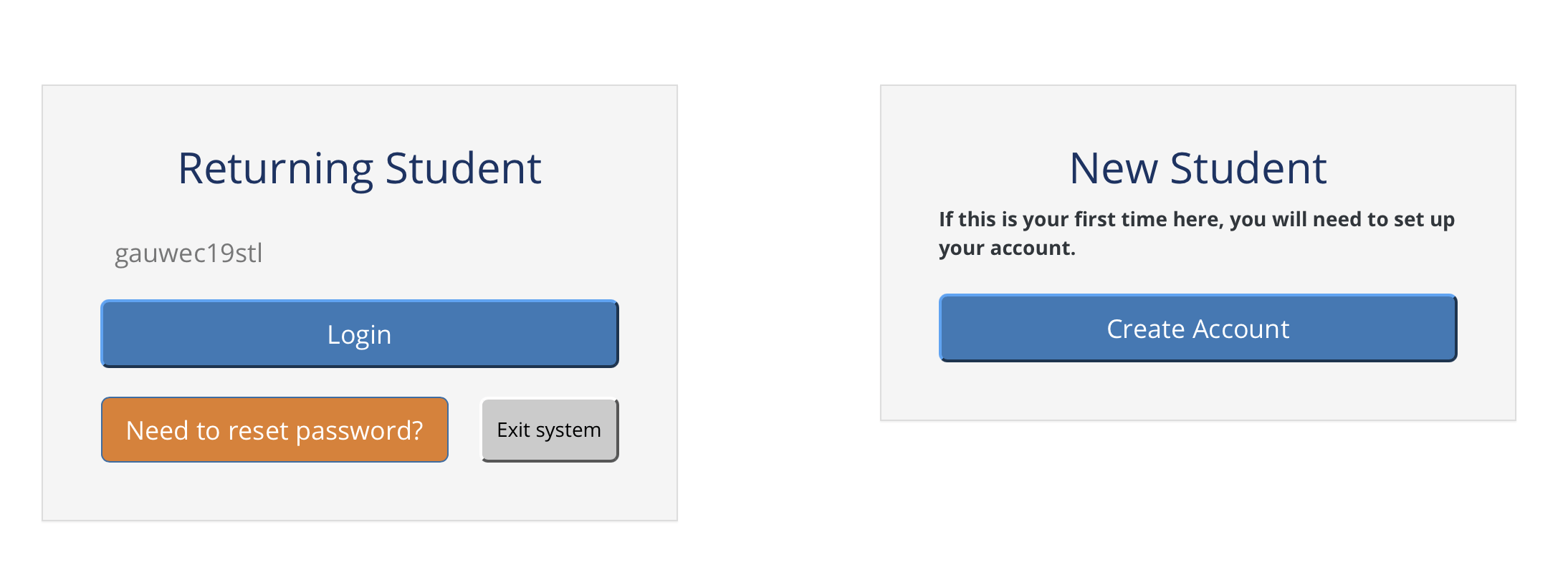
Remember to:
- Choose a USERNAME AND PASSWORD that you will remember. This will give you access to all the application platforms, and you can track you own status by logging into your profile.
- You will also be asked to use it again for more screening when you are a student.
- If your internet connection drops, you may return the same way as a RETURNING USER, and you can continue where you left off.
- LOST USERNAME OR PASSWORD: You can reset and recover using the “RE TURNING USER” button and clicking on “need to reset your password”.
STEP 1 CAREER GUIDANCE EXPLORATION

You must complete the Career Guidance to ensure you know which career to choose. You can explore careers and come back at anytime or on another time/day to complete STEP 2 and STEP 3. (Just remember to keep your username and password).
- Once you have registered on the “first time here?” button, complete everything in the “pre-entry information” folder.
- Click on each button and complete ALL the screening batteries in this folder.
- Complete ALL the questions even if you do not know the answers.
- Click the “FINISH” button at the end of each assessment
NOTES REGARDING THIS ASSESSMENT:
- Please remember that doing this career screening assessment is COMPULSORY!
- However, you still have the right to choose your own course based on your preferences.
- You will be requested to sign an acknowledgement that you prefer to make your own choice
- Your report can be viewed and saved by you.
- Please follow instructions and answer honestly.
- Do not let anyone else complete this screening for you as you will be recommended for the wrong course.
STEP 2 PLACEMENT ASSESSMENT

Log into your profile and complete the course selection, literacy and numeracy assessments.
NOTES REGARDING THIS ASSESSMENT:
- Please remember that doing this PLACEMENT ASSESSMENT is COMPULSORY!
- There is NO PASS or FAIL!
- You must complete ALL the “tests”.
- Do not let anyone else complete this assessment for you.
- This information will be utilized to assist you in becoming a successful student.
- You will keep on receiving reminders until you completed the assessment.:
EXAMPLE OF REMINDERS
Dear Student
Thank you for doing the Pre-Enrolment Application at our college.
We notice from our records that you have not completed the necessary modules to create your compulsory Placement Report. You have to complete the task in order to process your full application.
You have not completed the following modules :
- Course Choices
- Spelling
- New-Word Spelling
- Word Choice
- Missing Word
- Maths
- Pre-Enrolment Application
Please return as soon as possible in order to complete this task. The deadline for applications is nearing.
If you have already completed all Placement test (have done 7 modules), please ignore this message.
To retum to Leamer Profiler, click HERE.
We are looking forward to your completion of the Placement modules.
Best wishes,
Learner Profiler Support Team
STEP 3 ONLINE APPLICATION

WITHOUT THIS FINAL STEP WE CANNOT ASSESS YOUR APPLICATION
Complete all the sections
Upload you documents in PDF format when requested to do so.(ID, School results and proof of residence)
Incomplete applications cannot be processed
Remember to click the SUBMIT button when done
IMPORTANT NOTICE!
- Expect an answer AFTER the closing date!
- Notification are sent via SMS or EMAIL
- LOST USERNAME OR PASSWORD: You can reset and recover using the “RE TURNING USER” button
- You can track your own progress on the student portal.
- You will receive continuous communication via sms/email about your progress